
Small happenings
Prepare self-contained events that fit the location.
Small happenings, passing lives and atmosphere
Make the location feel alive with small happenings, sensory detail and passing lives. Prepare the background while the party keeps its focus on the main scene.

Life around the main scene
Keep the party’s focus in the foreground while everyday life continues around it.
Prepare self-contained events that fit the location.
Give people something of their own to do.
Layer in sounds, smells and light.
Use the backdrop to support the scene, not another task to manage.

Prepare the backdrop
The illustration represents fictional scene preparation, not an application screen or generated image output.
Choose the place, time, mood and activity.
Keep established people and sensory detail.
From location to lived-in backdrop
Prepare background detail for the moment the party is in.
Record the location, party focus and what stays in the foreground.
Choose place, time, mood and amount of activity.
Select one, three or five happenings with place, timing and duration.
Keep established details, sensory life and what happens if ignored.
Your background scene toolkit
Keep passing lives, sensory atmosphere and timing around the foreground.
Describe the location, what the party is doing and what stays in the foreground.
Set the kind of place, time of day, mood and amount of activity.
Add self-contained happenings around the main scene.
Review where it happens, when it begins and how long it lasts.
Explore the sounds, smells and light around the party.
Reuse established people or features and exclude details that do not fit.
Choose whether to keep one private background thread for your own notes.
Edit, lock or reroll sections; keep saved versions and review read-aloud and scene material before sharing.
Prepare the detail the place needs
Shape the scene around what is already happening.
Begin with location, party focus, time, mood and activity.
Reuse established people or features and list details to avoid.
Choose the amount of background life the moment needs.
Decide whether to keep one loose thread in your own campaign notes.
Keep useful backdrops available
Retain scenes and variations for later sessions.
Refine the background material to fit your location.
Retain useful details and reroll individual sections.
Reopen, rename, duplicate, search or delete saved backdrops.
Keep twelve versions alongside tags and campaign annotations.
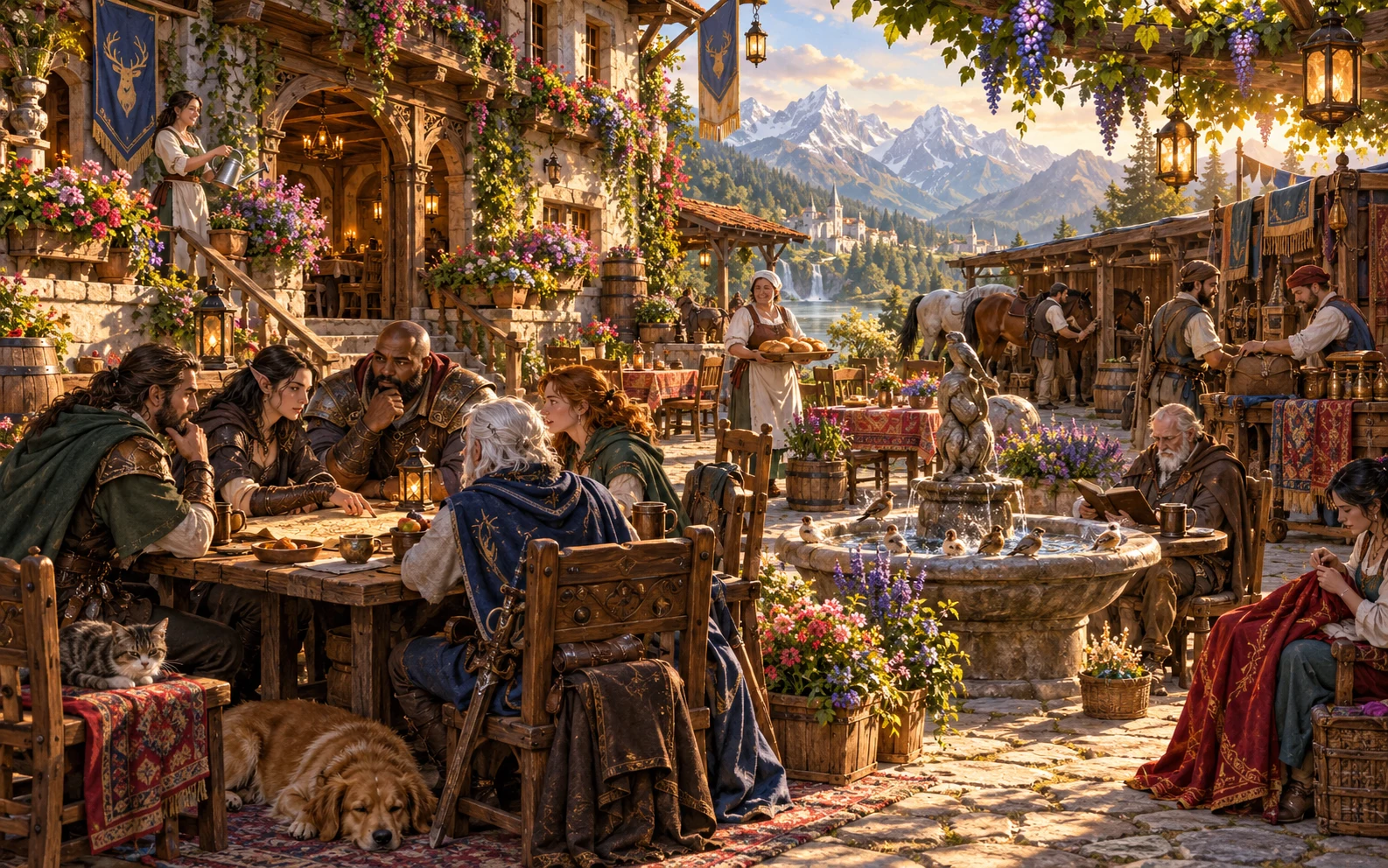
A backdrop to review
Review the read-aloud line and event timing.
Keep the people busy with their own lives.
Review player material and private notes.
Background life around the foreground
Review the table-facing material and private notes before sharing.
Review how events finish if the party ignores them.
Retain familiar people and features without making a new quest.
Check read-aloud lines and the selected player view before sharing.
Interruptions, problems, quests and Combat PRO encounters are separate.
Choose your generator access
The current USD catalogue lists Background Event Generator as available. Review the current account offer when choosing access.
Choose Background Event Generator as your selected standalone generator for US$1.99 per month.
Select this generator within an eligible pack. Pack capacity and current pricing are shown in your account.
Other generators, Battlemaps and image-credit products have their own access arrangements. They are not included automatically.
Create a free account, choose the required generator access and use Desktop Command Centre on Windows.
VISINVOKE means value
A focused tool for fictional background life and atmosphere.

Fit the backdrop to the location and time.
Give people their own everyday activity.
Retain scenes, versions and campaign notes.
Support the main action with background life.
Build your tabletop toolkit
Each card opens its own product website. Review purpose and access separately; related products do not promise included access or automatic synchronisation.
Open your VISINVOKE products from Windows.

Frame a live exchange after an established social mistake.

Build the wider setting around your campaign.

Develop the places your party travels through.

Explore separate adventure environments.

Explore separate fantasy image creation.
Product artwork illustrates fictional scene preparation, not application screens or actual generated image output.
Quick answers
Understand events, atmosphere, timing, sharing and access.
Prepare one, three or five fictional background events around a main scene. Each has its own place, timing and duration, sensory detail and people busy with their own lives. Keep the party’s focus in the foreground.
The current USD catalogue lists US$1.99 per month for one selected standalone generator. Background Event Generator can also be selected through eligible generator packs. A VISINVOKE account and required generator access are needed; other products have separate access arrangements.
In Quick, describe the location and party focus, then choose the kind of place, time, mood, activity and one, three or five events. Deep adds established people or features, details to avoid and whether one optional loose thread may appear.
Use taverns, markets, streets, temples, courts, docks, camps, roads, guildhalls or castles. Develop sounds, smells, light and passing lives around the scene without making each detail a new task for the party.
Review, edit, lock or reroll the backdrop. Save scenes to your signed-in account library, reopen, rename, duplicate, search, tag, annotate or delete them. A twelve-version history keeps earlier variations available. Review the read-aloud line and DM or player view before copying, downloading the structured record or printing; keep private notes and optional loose threads with the DM.
Open Background Event Generator in the Generators collection of Desktop Command Centre on Windows. It prepares background life around the party’s main scene. It does not start a Combat PRO encounter or send material to Combat PRO; wider quests, interruptions and crowd reactions belong to separate preparation.
Continue in VISINVOKE
Create a free VISINVOKE account and choose the required generator access.
Get Desktop Command Centre from your account installer page. Sign in on Windows, then open Background Event Generator.